










































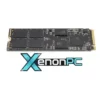
When we talk about improving the performance of a slow laptop, most people think of the processor or the graphics card. However, there is one component that makes an even more noticeable difference in day-to-day use: the hard drive. If you’re still using a traditional mechanical hard drive (HDD), you’d be surprised at just how much of a difference switching to an SSD (solid-state drive) can make.
✦ Benefits of SSDs ✦
Significantly faster speeds
An NVMe SSD can read at 7,000 MB/s. A conventional HDD reaches 150 MB/s. The difference is immediate and noticeable in everything.
Instant boot-up and loading
Windows boots up in 10–15 seconds. Games and programmes load in seconds. Productivity improves dramatically.
No moving parts
Resistant to shocks, vibrations and drops. Ideal for laptops. Makes no noise or vibration during use.
Lower power consumption
Consumes between 2 and 4 watts during active use. An HDD requires between 6 and 10 watts. Longer battery life on laptops.
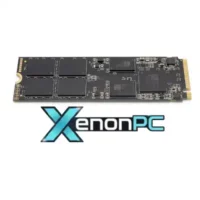
An SSD stores data on interconnected flash memory chips. No read/write heads, no spinning platters, no mechanical latency. The result is data access speeds that mechanical hard drives can never physically match.
NVMe vs SATA: not all SSDs are the same
There is a crucial difference between SSDs depending on the type of interface; not all laptops support an NVMe drive. SATA SSDs use the same connector as traditional hard drives and are limited to a read speed of around 550 MB/s. They are a huge improvement over an HDD, but they do not represent the maximum performance an SSD can deliver.
NVMe SSDs, connected directly to the motherboard via the M.2 slot, utilise the PCIe interface to achieve speeds of up to 7,000 MB/s in Generation 4. For the operating system, applications and games, the difference between SATA and NVMe is noticeable. For secondary storage, both are more than adequate.
Form factors
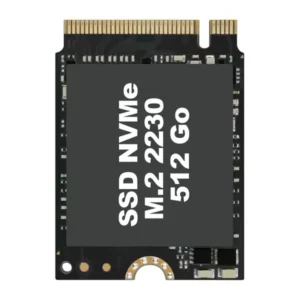
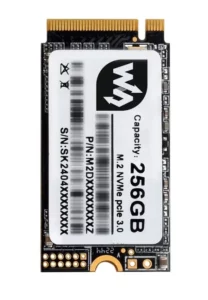
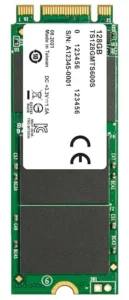
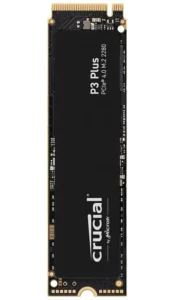
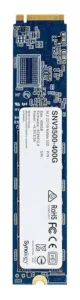
All consumer NVMe drives use the 22 mm-wide M.2 standard; what varies is the length: 30, 42, 60, 80 and 110 mm. The 2280 is the market leader, found in most ATX motherboards and gaming laptops. The 2230 has gained popularity thanks to devices such as the Steam Deck and ultrabooks. The 22110 is almost exclusively found in servers and enterprise NAS.
PCIe Generations
PCIe (Peripheral Component Interconnect Express) is the high-speed communication bus that connects internal components directly to the CPU, the motherboard, the graphics card, the network card, capture cards, and any peripheral requiring high bandwidth to the CPU.
Each generation roughly doubles the bandwidth of the previous one. The leap from PCIe 3.0 to 4.0 was revolutionary for gaming (map loading, assets without streaming). PCIe 5.0 is currently the cutting edge of high performance with up to 14 GB/s, but it generates more heat and requires robust heat sinks. PCIe 6.0 is still in the specification phase for the consumer market.
| Generation | Read speed | Write speed | IOPS (4K) | Compatibility | Status |
|---|---|---|---|---|---|
| PCIe 3.0 × 4 | 3,500 MB/s | 3,000 MB/s | 600K | Ryzen 3000 · Intel 10th gen | Legacy |
| PCIe 4.0 × 4 | 7,000 MB/s | 6,500 MB/s | 1,000K | Ryzen 5000 · Intel 12th gen | Mainstream |
| PCIe 5.0 × 4 | 14,000 MB/s | 12,000 MB/s | 2,000K | Ryzen 7000 · Intel 13th gen | High-end current |
| PCIe 6.0 × 4 | ~28,000 MB/s | ~24,000 MB/s | 4,000+K | Next generation | Future |
TBW / TPL and security layers
TBW/TPL (Terabytes / Petabytes Written) measures the guaranteed lifespan of an SSD: the maximum amount of data that the manufacturer guarantees can be written before the drive fails. The higher the capacity, the higher the TBW.
Regarding security features, the most important are hardware-based AES-256 encryption (transparent and with no performance overhead), the cryptographic Secure Erase feature of the NVMe 1.3+ standard, which renders data irrecoverable in milliseconds, and Power Loss Protection in enterprise models, which prevents data corruption during sudden power cuts by using physical capacitors on the drive’s circuit board.
Security layers in NVMe
AES-256 / TCG Opal (hardware encryption)
The controller automatically encrypts all data without impacting CPU performance. Compatible with BitLocker and FileVault via OPAL 2.0.
Secure Boot + firmware signing
The SSD firmware is digitally signed. If a malicious modification is detected, the drive will refuse to boot.
Power Loss Protection (PLP)
Dedicated capacitors ensure that data in the DRAM cache is written to the NAND in the event of a sudden power cut. Critical in enterprise environments.
Sanitise / Secure Erase (NVMe 1.3+)
Standard NVMe protocol commands for secure cryptographic erasure: Crypto Erase invalidates the AES key, rendering all data irrecoverable within milliseconds.
Frequently asked questions about switching from HDD to SSD
What should I do with my old HDD after upgrading?
With an external hard drive adapter (USB-SATA, under €10), you can turn your old HDD into an external hard drive for storing backups, photos or files you don’t need to keep on your laptop. This way, you can make the most of its large storage capacity without compromising the speed of your SSD.
Is it worth it if the laptop is only a few years old?
Yes. Even laptops bought in the last 3–4 years that came with an HDD benefit hugely from the upgrade. The HDD is the component that limits performance the most, regardless of the processor generation or the amount of RAM.
Will I lose the data on the old hard drive?
The answer is no. You can clone the contents of the hard drive without deleting anything. Cloning copies the data exactly as it is, and the operating system will boot up without any problems from the new hard drive.

Linux Gaming with NVIDIA and Proton: Crimson Desert at maximum performance
Linux has made huge strides in the world of gaming in recent years, to the point where installing Linux for gaming is now a genuine

ThinkPad laptops with longer battery life
In this 2026 update, we’ve selected the ThinkPad laptops with the best battery life in 2026. This range continues to stand out for offering an

Comparison of the Motorola Edge 70 range
Edge 70 Fusion Processor: Qualcomm Snapdragon 7s Gen 3 Screen: 6.78″ AMOLED, 144 Hz, 5200 nits Battery5200 mAh (7000 mAh optional in some markets) LoadingTurboPower