New Thinkbook Yoga 14 g2 is a slim and stylish 2-in-1. Designed for small businesses, for mobility, autonomy and flexibility in their productivity. Equipped with the latest Intel processors
Abundant SSD storage options from 256 to 2TB M2 SSD
Enjoy an advanced multimedia experience with the clarity of a 14″ Full HD touch screen, advanced audio from Harmon speakers and microphones optimized for video conferencing.
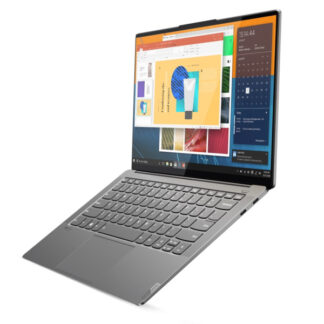
The ThinkBook Yoga 14s is made with small businesses in mind. Powerful and flexible 2 in 1. Very thin and light, it can be used in four modes: laptop, tablet, stand or tent. It also has intelligent options, such as Modern Standby and applications that open automatically when you remove the integrated pen in a specific mode to increase your productivity.
Thinkbook Yoga 14s – Flexible for your productivity
The ThinkBook 14s Yoga is less than ¾” thick and weighs less than 1.5 kg. It features advanced 11th generation Intel Core processors to ensure phenomenal performance. The structure allows for 360-degree articulation and can be used in four flexible modes, laptop, tablet, tent or stand.
The pen housed in its own slot allows you to improve interaction in any mode.
The smart pen lets you activate one of two useful apps: tapping the screen in sleep mode to open an app to take notes, or picking it up when signed in to open the Windows Ink desktop. The keyboard is backlit and has shortcut keys to open specific applications such as Skype for Business or Lenovo Services. Other smart features include Flip to Boot, Smart Cooling, video resolution upscaling and more.
Intuitive in everyday life: Modern Standby
The ThinkBook 14s Yoga is smarter than ever and makes your day at work easier. With the Modern Standby feature, the laptop wakes up in one second and goes online in two seconds.
It also has the option of dual SSD and memory capacity to easily perform different multitasking tasks and obtain fast responsiveness. All this in a thin and light package.
Battery autonomy wherever you go
The long-lasting battery lets you take the ThinkBook 14s Yoga everywhere without a charger always behind you. If you need to charge the battery, fast charging technology allows you to charge it from 0 to 80% in just one hour. Forget about having a charger with you!
Thinkbook Yoga 14 – Elegant from every angle
Constructed of aluminum and metal the Yoga 14s is sturdy and feels premium. Available in Gray (Mineral Gray) or Blue (Abyss Blue).
The screen with Full HD resolution has Dolby Vision technology and also a touch screen protected by Corning Glass (the same material used in mobile devices), ultra-thin bezels on four sides and a screen-to-body ratio of 86%.
Also enjoy the incredible audio that Harman brand speakers provide. The microphones have also been optimized for a unique video conferencing experience.
Thinkbook Yoga14s – Advanced connectivity
Available with the most advanced connectivity systems. WiFi 6 enables fast and stable connections, even on congested public platforms.
It is equipped with two USB Type-C ports with Thunderbolt 4 technology to provide fast data transfers and extended connectivity to two monitors and more peripherals.
It also allows you to connect to ThinkPad USB-C Dock Gen2 and ThinkPad Hybrid USB-C bases to facilitate connection on your desktop.
The 14s Yoga’s on/off button has an integrated touch fingerprint reader. This allows you to connect and log in securely with a simple tap.
Make passwords a thing of the past! The 720p webcam features a physical shutter, so you can protect your personal privacy and data.
Thinkbook Yoga 14 g2 technical specifications
[[t40]
Processor: Up to Intel® 12th Gen Core™ i7
Operating system: Windows 10 Pro (64 bits)
Display: 35.56 cm (14″) Full HD Corning Glass touchscreen with Dolby Vision™, 300 nit, 100% sRGB color gamut
Battery: Up to 12 hours* with 60 Wh, Rapid Charge Technology available with 65 W AC
Storage: SSD: Up to 1TB PCIe M.2, Optional: Second SSD: Up to512GB PCIe M.2




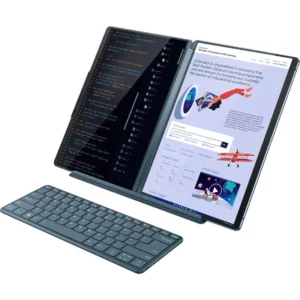

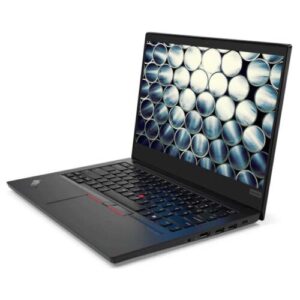

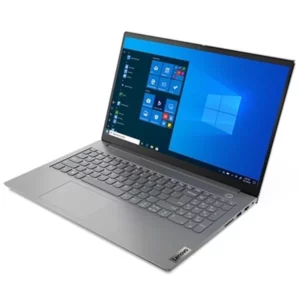

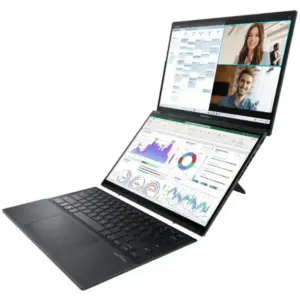



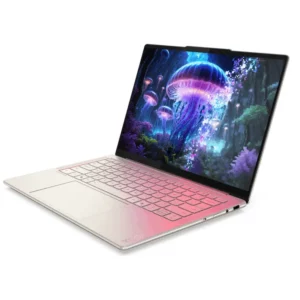

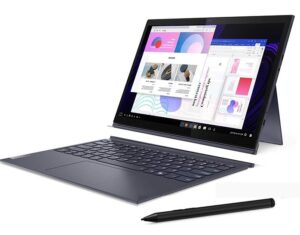

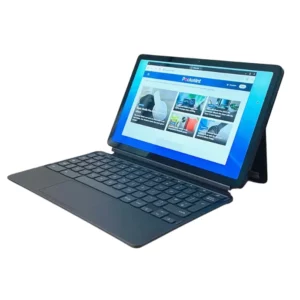































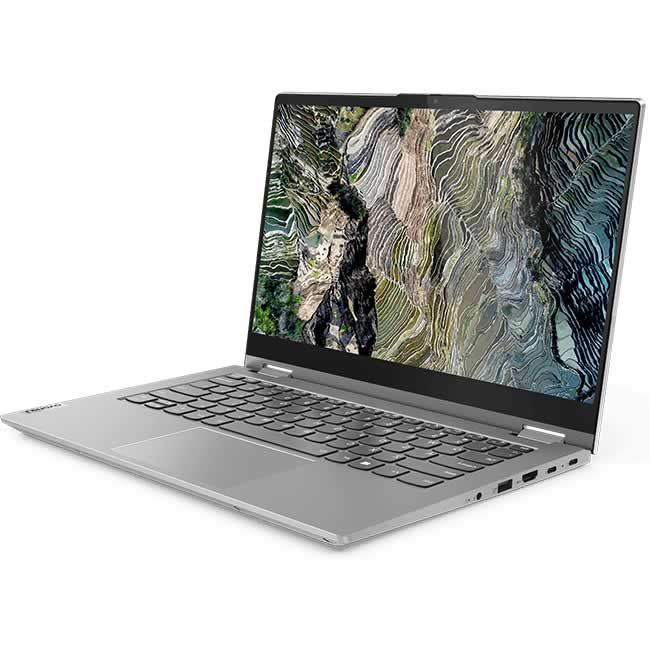
 The ThinkBook 14s Yoga is less than ¾” thick and weighs less than 1.5 kg. It features advanced 11th generation Intel Core processors to ensure phenomenal performance. The structure allows for 360-degree articulation and can be used in four flexible modes, laptop, tablet, tent or stand.

1 review for Thinkbook Yoga 14 G4
There are no reviews yet.