

























































“
Setting up APN and mobile data in Portugal: Guide 2026
\r\n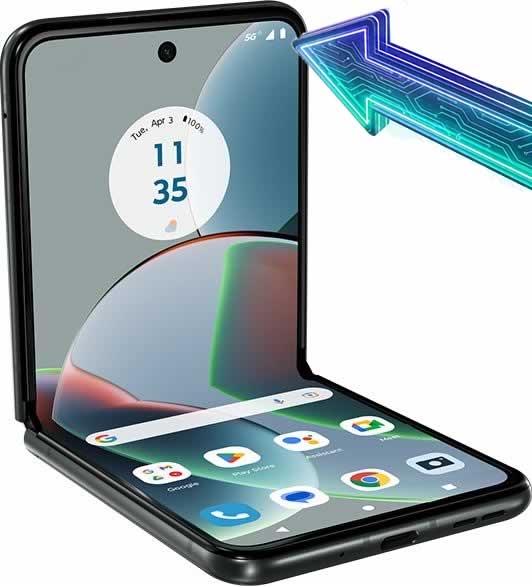 \r\n\r\nIf you have purchased a new mobile phone and cannot access the internet, the problem is probably in APN (Access Point Name) configuration.\r\n\r\n1. Sometimes it is necessary to manually configure your data. operator: \r\n\r\nNOS, MEO, Vodafone, NOWO, etc.\r\n
2. If the internet does not work after setup:
\r\n
Make sure that you activated the option Data Roaming.
\r\n \r\n
⚠️ Important for Virtual Operators (Lycamobile, NOWO, UZO, WOO)
\r\nThis is mandatory for some virtual operators, even those based in Portugal.. \r\n\r\n
\r\n
Step by step: How to Access APN Definitions in Android
\r\nTo configure your mobile operator’s internet, follow these steps on your mobile phone: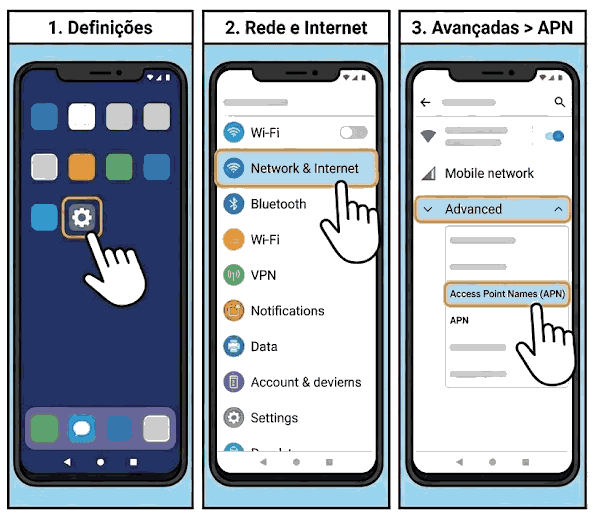 \r\n
\r\n
- \r\n \t
- Go to Definitions (Settings).
- Select Network and Internet or Mobile Networks.
- Tap on Advanced > Access Point Names (APNs).
- Select the corresponding SIM card (if you have Dual SIM).
- Tap the menu button (three dots) or the icon. \”+\” to add a New APN.
\r\n \t
\r\n \t
\r\n \t
\r\n \t
\r\n
\r\n\r\n
\r\n\r\n
| Operator | APN (The most important) | User |
|---|---|---|
| MEO(TMN) | Internet | (Empty) |
| US (ZONE) | umts | (Empty) |
| Vodafone | net2.vodafone.pt | Vodafone / Vodafone |
| NOWO | internet.nowo.pt | (Empty) |
| UZO | Internet | (Empty) |
| Lycamobile | data.lycamobile.pt | Impt / Plus |
| WOO | Internet | (Empty) |
\r\n
\r\n
How to Finish and Save
\r\nAfter filling in the information above:\r\n
- \r\n \t
- Tap the three dots in the upper right corner of the screen.
- Select Save (or Save).
- Important: In the APN list, make sure you click the green \”dot\” or button next to the APN you just created to activate it.
\r\n \t
\r\n \t
\r\n
\r\n

\r\n
Common Problems: Itinerant Services and Virtual Operators
\r\nIf you configured the APN and the internet is still not working, check the Data Itinerancy (Roaming).\r\n
- \r\n \t
- Some mobile virtual network operators (MVNOs) require that option Data Itinerancy It must be activated, even if you are in Portugal.
- Go to: Definitions > Mobile Networks > Enable Data Roaming.
\r\n \t
\r\n
\r\nExtra Tip: After setting up, restart your phone to ensure the changes take effect.\r\n\r\n
\r\n\r\n
Related Guides Motorola and Android
\r\n
- \r\n \t
- > All the latest news and guides from Motorola-Lenovo
- >> How to import contacts to a new Motorola mobile phone
- >> Android manuals in Portuguese
\r\n \t
\r\n \t
\r\n
\r\n
View Motorola mobile phones with 5G network.
“