

































×

Filters

Sort by
Price Range (€)
-

Filters

Sort by
Price Range (€)
-

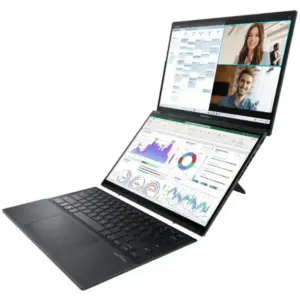
ASUS ZenBook Duo vs Yoga Book 9i Comparison
The ASUS Zenbook DUO and the Lenovo Yoga Book 9i…
Linux Gaming with NVIDIA and Proton: Crimson Desert at maximum performance
Linux has made huge strides in the world of gaming…
The history of Lenovo
1984 – The Birth: ‘New Technology Developer Inc.’ Lenovo was…
Boost your performance by upgrading your hard drive to an SSD
When we talk about improving the performance of a slow…
Comparison of the Motorola Edge 70 range
Edge 70 Fusion Processor: Qualcomm Snapdragon 7s Gen 3 Screen:…
ThinkPad laptops with longer battery life
In this 2026 update, we’ve selected the ThinkPad laptops with…
Advantages of Local Artificial Intelligence
Local AI: Regain Control, Eliminate Latency, and Protect Your Business…
Motorola Edge 60 Pro Camera Manual: Settings and Tips
“ This manual is up-to-date and has been tested with…
×

Filters

Sort by
Price Range (€)
-
eGPU

Guide: How to connect an external graphics card to your laptop

GUIDE 2026: How to Connect an External eGPU Graphics Card to Your Laptop

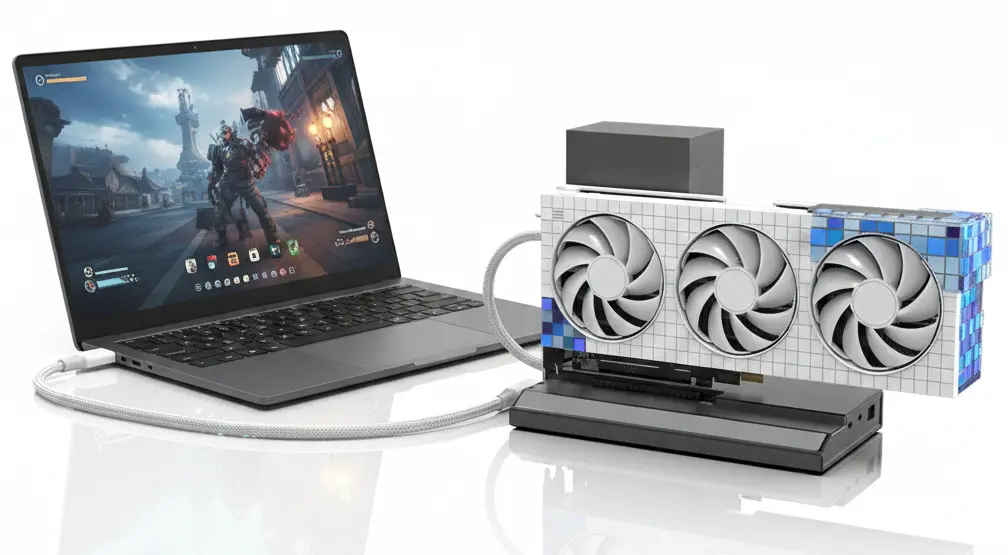
Do you like the portability of your laptop but need more power for gaming or 4K video editing? A eGPU It’s the ultimate solution. Imagine connecting a single cable and transforming your lightweight laptop into a… gaming machine.

To connect a graphics card (eGPU) to your laptop in 2026, the choice of dock or enclosure depends entirely on the port your device has. Not all USB-C ports will work; you need… Thunderbolt (3, 4 or 5) or the high-performance standard OCuLink.

What is an eGPU? The external graphics card that revolutionizes portability.

🚀 Benefits: Why use an eGPU?

    • Performance: Up to +500% FPS.
    • Longevity: Replace the graphics card, not the PC.
    • Docking: Charging and extra ports with a single cable.

eGPU insta

One External GPU (eGPU) It’s a high-performance desktop graphics card that you connect to your laptop. via a specialized cable. At XenonPC we recommend this solution to customers looking for the best of both worldsPortability for working remotely and extreme power for gaming or production at home.
 
Imagine having an ultralight 1.2 kg laptop for your work meetings that, when you get home, transforms into a machine capable of running Cyberpunk 2077 in ultra at 4K. That’s exactly what an eGPU offers.
 

Why should you consider an eGPU?

  • Explosive Performance: You can achieve up to a 500% improvement in FPS compared to integrated graphics.
  • Infinite Upgrade: When the graphics card becomes outdated, you only replace the card, not the entire laptop.
  • Your desk, your command center: Most “Docks” include extra USB ports, Ethernet, and laptop charging with a single cable.
  • The best of both worlds: Take it to university or work during the day; extreme power at home at night.

🔌 Connection Technologies

OPTION 1: Thunderbolt 3/4 – Absolute comfort

It’s the option Plug & Play. If your door has a lightning bolt symbol (⚡), this is the correct option.

Recommended boxes: Razer Core X, Sonnet Breakaway, MasterCase EG200.

  • Bandwidth: 40-80 Gbps
  • Charges laptops: Yes (up to 100W)

It’s the “Plug & Play” option. If your laptop has the lightning bolt icon next to the USB-C port, these are the most reliable cases:

  • Razer Core X Core X Chroma: It remains the benchmark. It’s spacious, has a robust power supply (650W), and supports virtually any modern 3-slot graphics card.
  • Sonnet eGFX Breakaway Box 750ex: Excellent if you’re looking for pure power, as its 750W power supply supports high-end graphics cards like the RTX 4080/4090 or the new 2026 series.
  • Cooler Master MasterCase EG200: It includes a hard drive (SATA) dock and laptop stand, making it very practical as a complete workstation.
  • ASUS ROG XG Mobile
  • Mantiz Saturn Pro
TB4It uses the USB-C port with the lightning bolt symbol (⚡) found on modern premium laptops.
Features:
  • Bandwidth: 40 Gbps
  • Energy: Yes, it charges laptops (up to 100W).
  • Connection: A single cable (data + power)
  • Compatibility: Mac and Windows

OPTION 2: OCuLink (Maximum Performance)

Direct PCIe connection. Ideal for enthusiasts who cannot accept performance losses.

Recommended docks: OneXGPU, GPD G1, Minisforum DEG1.

  • Bandwidth: 64 Gbps (PCIe 4.0)
  • Minimal loss: Only 5-10%
OCuLink It’s a professional connector that offers higher speeds than Thunderbolt, ideal for those seeking maximum performance.
 
OCuLink is our recommendation for customers looking for the maximum for every euro invested. It’s a professional server-derived connector that is now revolutionizing the world of eGPUs.

If your laptop or portable console has a port OCuLinkThis is the best option because it offers… less performance loss Thunderbolt.

  • OneXGPU / OneXGPU 2: Ultra-compact docks that already include integrated graphics (such as the RX 7600M XT or RX 7800M), also functioning as hubs with USB ports and SSD.
  • GPD G1: Similar to the previous one, very small and lightweight, ideal for extreme mobility.
  • Miniforum DEG1: This is a very economical “open” (skeleton type) dock. The graphics card and font are installed separately. It’s the cheapest option if you don’t mind the components being visible.
Features:
  • Bandwidth: 64 Gbps (PCIe 4.0) – 60% faster than Thunderbolt!
  • Energy: Not included (requires external power source)
  • Latency: Lower profile, better for competitive gaming.
  • Cost: More economical than Thunderbolt

The disadvantage: It may require a slight modification to the laptop, something that the technical service can handle. XenonPRAÇA It can do it for you.

OPTION 3: Thunderbolt 5 connection, the latest version.

If you recently purchased a high-end laptop in 2025-2026, you may have Thunderbolt 5, which doubles bandwidth.

  • Kensington SD7100T5: Although it’s a general dock, there are already specific cases (like the new versions from Razer or Sonnet presented this year) that take advantage of this port so that the external graphics card has performance almost equal to an internal one.
 

THUNDERBOLT 5

Maximum performance and convenience

Bandwidth 120 Gbps

GPU loss: 3% – 7% (Near native PCIe)

  • ✅ Plug & Play: Turn on and use
  • Ultra-Fast Charging up to 240W
  • ✅ Hot-Plug: No need to restart your PC
  • ✅ Universal: Compatible with Mac

Cost€300 – €500 (Box only)

THUNDERBOLT 3/4

Compatibility with older laptops

Bandwidth 40 Gbps 

GPU loss: 10% – 20%

  • ✅ Plug & Play: Turn on and use
  • ✅ Single cable: Charges your laptop
  • ✅ Hot-Plug: No need to restart your PC
  • ✅ Universal: Compatible with Mac

Cost€300 – €500 (Box only)

OCULINK via PCIe

Best price, performance and compatibility

Bandwidth 64 Gbps 

GPU Loss: 5% – 8%

  • ❌ Requires: External source
  • ❌ Installation: Technical level
  • ❌ Restart: No Hot-Plug
  • ❌ Charge: Do not charge the laptop

✅  Coste:  €50–€250 (Solo Dock)

Comparison of External Graphics Card (eGPU) Models

Model

OneXGPU
Miniforum
Sonnet 750

Connection Port

Thunderbolt
OCuLink / USB4
OCuLink
Thunderbolt

Advantages

Full compatibility and robustness.
Portability and Port Hub.
Unbeatable price and port hub.
Powerful 750W power supply.

User Profile

Windows/Mac users (Reliability).
Portable consoles and Mini PCs.
Laptops without Thunderbolt 5
High-power GPUs (RTX 4090).

Is this for you?

eGPUs are the modular future. If you’re looking for convenience, choose them. Thunderbolt. If you’re looking for maximum performance, go for OCuLink.

📧 [email protected]
📞 981 90 41 47 (Mon-Fri 9:30-20:00)

Laptops and Gaming PCs

Leave a Reply