×


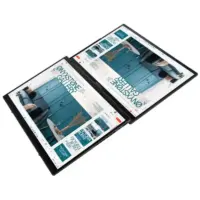
ASUS ZenBook Duo vs Yoga Book 9i Comparison
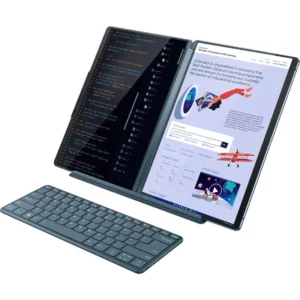
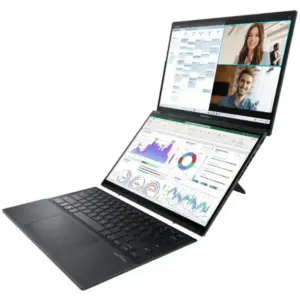
The ASUS Zenbook DUO and the Lenovo Yoga Book 9i…
Linux Gaming with NVIDIA and Proton: Crimson Desert at maximum performance
Linux has made huge strides in the world of gaming…
The history of Lenovo
1984 – The Birth: ‘New Technology Developer Inc.’ Lenovo was…
Boost your performance by upgrading your hard drive to an SSD
When we talk about improving the performance of a slow…
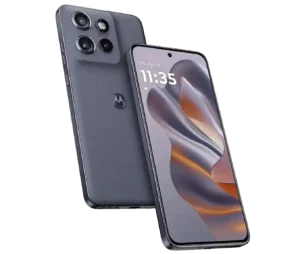
Comparison of the Motorola Edge 70 range
Edge 70 Fusion Processor: Qualcomm Snapdragon 7s Gen 3 Screen:…
ThinkPad laptops with longer battery life
In this 2026 update, we’ve selected the ThinkPad laptops with…
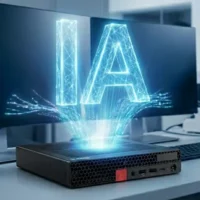
Advantages of Local Artificial Intelligence
Local AI: Regain Control, Eliminate Latency, and Protect Your Business…
Motorola Edge 60 Pro Camera Manual: Settings and Tips
“ This manual is up-to-date and has been tested with…
×

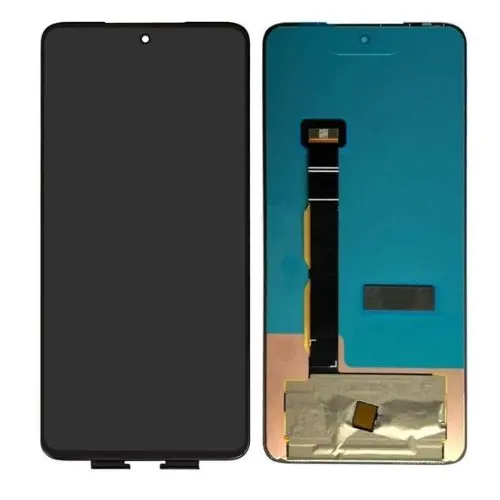
Moto G84 screen

Price range: 69 € through 79 €

Moto G84 screen

Price range: 69 € through 79 €

Moto G84 screen

Price range: 69 € through 79 €

Moto G84 Screen The price includes the purchase of a new, approved Motorola screen.

Maximum quality. The screen includes the internal LCD glass layer and the external touch sensor layer, they cannot be separated.

We recommend our Replace Screen service so that our technicians can replace the screen in complete safety.

Optionally, you can hire the 24-hour Collection+Shipping service

We recommend our service Screen Replacement so that our technicians can carry out the repair in complete safety.

Important: Test before installing

If you prefer to install the screen yourself, disconnect the battery and do not remove the plastic protectors before testing it. Make sure it works properly before attaching it to the device.

Warranty and returns

  • Fingerprint: For security reasons, Motorola may lock the new screen and it is very likely that the fingerprint will not work.
  • Returns and guarantees are not accepted if the screen has been manipulated or the protectors have been removed.
  • Once the protectors have been removed, it is considered installed and it will not be possible to claim damages or defects.
  • The warranty only covers uninstalled screens, as they may be damaged during use.assembly.
  • If you prefer to avoid risks, we can take care of the installation.

⚠️ In most cases, problems are due to incompatibility, not screen defects.

Please send us the complete Model to confirm that the screen is correct before purchasing.

Full LCD and touch screen for Motorola Moto G84, with or without bezel.

Later, you can hire our Support Service to Change the Screen with complete safety and precision.

To send us your terminal, we recommend our Collection service so that we can stop by your home to collect it, including return shipping and insurance. If you just want us to send you the screen, please indicate your address below in the Order Notes “Send directly to my home”.

Moto G84 Display

Not all screens are the same. Lenovo cell phones with the most advanced technologies will have a more expensive display than older ones. Approximately 30% of the faults we receive in our Technical Service are due to deterioration in the terminal’s screen. Sometimes there are more serious breaks or deep scratches that damage the touch panel. The common denominator of these failures is that the screen is usually more expensive than the labor.

All new Lenovo models now have capacitive screens. The touch screen can overlap other types of screens, such as LCD, for example. The touch layer can also be integrated into the screen and not superimposed, as is the case with SUPER AMOLED, HD SUPER AMOLED or retina screens, as examples. Lenovo’s more advanced models have a more energy-efficient screen. Lenovo became 80% more efficient in savingsenergy consumption on the screen.

Screen IPS AMOLED

IPS screen glass is the latest evolution of AMOLED technology. One of the main differences with AMOLED technology is that the layer that detects what we touch is integrated into the screen and is more robust and reliable.

OLED: The main advantage is more powerful and bright colors, lower reflection of sunlight and lower power consumption. The thickness of the glass that forms the screen is also reduced. This was achieved by introducing more resistant layers. This allows better transmission of tactile information to our Lenovo Moto (Motorola) smartphone

In addition, it reduces the thickness of the glass used on the screen by absorbing shocks and scratches more effectively. Within all logical limits of shocks and scratches. The layer most used by Motorola is OLED. It is based on its same AMOLED technology and which can be improved every year with new versions and technological improvements, especially in its resistance.

The Lenovo Moto screen is of maximum quality and robustness AMOLED and full-HD resolution.

To minimize or avoid breakages, we recommend Extra-Strong Protective Glass

Moto G84 screen

Reviews
There are no reviews yet.

Be the first to review “Moto G84 screen”